25 Open Source Web Design Programs And Tools You Should Already Know About

Posted by Justin

Open-source programs and tools have really come a long way. Almost any program out there has an open-source equivalent. Using any combination of the tools below, it is possible to create, author and publish a website entirely for free (legally).

Text Editors

  • Aptana Aptana is the free equivalent of Adobe Dreamweaver. Very powerful and very stable.
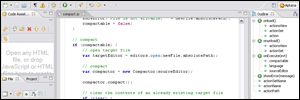
    aptana.png
  • Notepad++ Notepad++ is a lightweight text editor that has code coloring and code folding.
    notepad.png
  • Notepad2 Another very lightweight text editor that can be used as a replacement to Windows Notepad.
  • Cream Not for the feint of heart, this is a modern configuration of Vim. Very powerful but with a learning curve.
  • Firebug Firebug is a powerful plugin for Firefox that allows you to edit CSS/HTML/Javascript live while you browse the page.

WYSIWYG Editors

  • WYM editor A web-based XHTML editor that outputs W3C compliant XHTML 1.0 STRICT code.
  • Amaya Amaya is a WYSIWYG HTML/CSS editor from the people at W3C. Of course this means its output is 100% valid.
  • Selida Another WYSIWYG editor that is entirely free.
  • Nvu Nvu is another open-source Dreamweaver clone. It features HTML/CSS editing and a WYSIWYG side.

FTP Clients

  • FileZilla A very popular FTP client. You can also download the server edition for free.
    filezilla.png
  • CoreFTP A simple two-pane style FTP.
  • FireFTP Use FTP without ever leaving the comfort of your Firefox!

Image Editors / Creators

  • Gimp / Gimpshop The open source equivalent of Photoshop. This image editor is very powerful and completely free. Gimpshop [ available here ] is a modified version of Gimp to help people familiar with Adobe products move over to Gimp.
    gimp.png
  • Inkscape A very powerful image creator that outputs SVG (scalable vector graphics) files.
  • Paint.NET Another image editor/creator that has some nice features. Basically this is a version of Paint with a bit of Photoshop style tools added to it.
  • Project Dogwaffle This is a free painting and animation prgram by Dan Ritchie. You can achieve nice digital paint results with this.
  • Picasa2 Google-owned Picasa is an image organizer. You can edit your photos, tag your images and even upload them to Google’s server for free. This is perfect for organzing images for galleries.

Color Pickers

  • ColorMatch Remix This online tool allows you to pick a color and have several colors generated to match it. You can export your palette as a Photoshop or Illustrator file.
  • ColorPicker This color picker allows you to pick colors from photos and other images. It can ouput colors in either RGB mode or hex, which is useful for us CSS designers.

Coding Help

  • AllChars Ever had trouble remember that “&” should be “&” in HTML? AllChars will help you encode ANY character you want.
  • CSS Creator Use this online tool to generate the framework for your CSS based layout.
  • Firdamatic Another online CSS layout generator that can be used for either 2-column or 3-column layouts.

Helpful Firefox Extensions

  • Web Developer Toolbar for Firefox This plugin is a must have for any CSS designer. It allows you to view the CSS for a page, turn off styling and browse through the DIVs to see how a page is assembled.
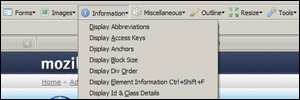
    webdeveloper.png
  • IE Tab Check your website in Internet Explorer by opening it in a Firefox tab. Never open Internet Explorer again!
  • HTML Validator Adds a small section to the status bar displaying whether or not a website has valid markup. It even shows how many errors are in the site.
Save this at: These icons link to social bookmarking sites where readers can share and discover new web pages.
  • del.icio.us
  • Digg
  • DZone
  • Reddit
  • StumbleUpon
  • TwitThis

Like this post? Stay up to date by Subscribing to our Full RSS Feeds


Other People Who Read This, Also Read

Reader Comments

  1. gsmeanspro - October 16th, 2007

    Thanks for links to WYSIWYG Editors. Always wanted something to replace current heavy dreamweaver.

  2. Collin - October 17th, 2007

    Thanks again for another informative post. I was unaware of Aptana, and it looks like a very useful tool. Thanks again.

  3. azad - October 18th, 2007

    You forgot Komodo Edit from ActiveState. Its my favourite editor.

  4. RaymaN - October 18th, 2007

    Thanks! Great listing!

  5. Norman - October 18th, 2007

    Thank you for the list but the title is misleading, as many of the listed programs are NOT “Open Source”, you just get them for free as in “free beer” or “Freeware”.

  6. Leonord - October 18th, 2007

    Picasa isn’t opensource, neither is Selida.

  7. Troy - October 18th, 2007

    Ever since I first laid eyes on Aptana, I’ve been in love with it. I love that it is based on the Eclipse IDE. Don’t need Dreamweaver anymore. I’ve never really been able to get into GIMP/GIMPShop, but that’s my fault, not GIMP’s. IMO, the best thing about most of these applications is that they are portable. I have a complete, pro-quality, dev environment on a 2 GB thumb drive. Can’t go wrong with that…

  8. Rémi - October 18th, 2007

    Just wanted to point out that Aptana is not a WYSIWYG editor. It doesn’t have a “Design” panel like Dreamweaver where you can edit the page elements.

    Still, Aptana is waaaaay better than Dreamweaver :)

  9. Joe - October 18th, 2007

    If anyone is into development on Linux, one of the best web development packages around is available with the KDE environment. Quanta+ was designed as an HTML editor, but has expanded into a superior programming tool and development environment. You don’t need to use KDE as your desktop…you can install it on a Gnome GUI with most current distributions.

  10. Jon - October 18th, 2007

    Excellent list. Thanks for posting this!

  11. David - October 18th, 2007

    I have to agree that Notepad++ is good, its become the bread and butter for my web coding. Aptana seems to be pretty popular lately, might have to try that one out and if it generates nice clean code, all the better!

  12. ronald - October 18th, 2007

    To add to your list of WYSIWYG Editors
    quanta.kdewebdev.org

    good post though…..

  13. vote gordon - October 18th, 2007

    I’m so happy to find an alternative to dreamweaver. I don’t admit to using programs like dreamweaver but when I do they often save my a**.

  14. Lloyd Dalton - October 18th, 2007

    Nice list!

    Under the “color pickers” category, you might check out colr.org .

  15. Justin - October 18th, 2007

    @Remi: You’re right! I moved it to “text editors” instead. Thanks for that!

  16. ernest leitch - October 18th, 2007

    Another really good free ftp client is WinSCP

  17. Mike - October 19th, 2007

    For color pickers, I could not live without Pixie by Nattyware.

  18. firaton - October 20th, 2007

    thanks for that. its very usefull

  19. Tim Wall - October 23rd, 2007

    Great list. Thanks. There are several apps in here I had not tried.

  20. ml2mst - November 12th, 2007

    @ Justin,

    Development on Nvu is discontinued, a new project called KompoZer is a fork of Nvu which has already a few extensions. It’s available from:

    kompozer.net

  21. Mrs. Accountability - August 25th, 2008

    This is a great post, I’m always looking for new (and free) software! I agree with another commenter about Pixie by Nattyware.

RSS feed for comments on this post. TrackBack URI

Leave a comment

Your e-mail address will be kept private. HTML is not allowed.


*
To prove you're a person (not a spam script), type the security word shown in the picture.
Anti-Spam Image